Overview

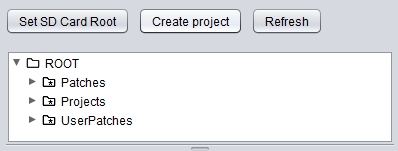
Bento Project Studio is a dedicated desktop editor for the 1010music Bento. It turns project creation into a clear, visual workflow: choose an SD Card Root, create or open projects, manage tracks, assign samples and patches, edit sequences, preview your work, and save clean Bento-compatible project files.

Bento Project Studio screenshot
Key features
Project & Track Slot workflow

Work with Bento projects using the same track-based structure as the hardware.

  • Create new projects or open existing projects directly from your SD Card Root.
  • Drag samples or folders onto Track Slots and pads, with rules adapted to each track type.
  • Replace a track type while keeping its sequences when the target track type supports them.
  • Browse and load Bento patches.
Bento Project Studio Track Slots
Sample & Pad Editing

Assign samples, adjust playback, and audition changes from the desktop before moving back to the hardware.

  • Clear pad overview for sample-based tracks, with names, states, and useful visual feedback.
  • Waveform display with Start, End, Loop Start and Loop End markers where applicable.
  • Edit gain, pan, pitch, playback direction, loop mode, choke, polyphony and velocity behavior.
  • Preview with the virtual keyboard, MIDI input, or the sequencer transport.
  • Use per-track level, pan, mute, solo and send controls for a more realistic project preview.
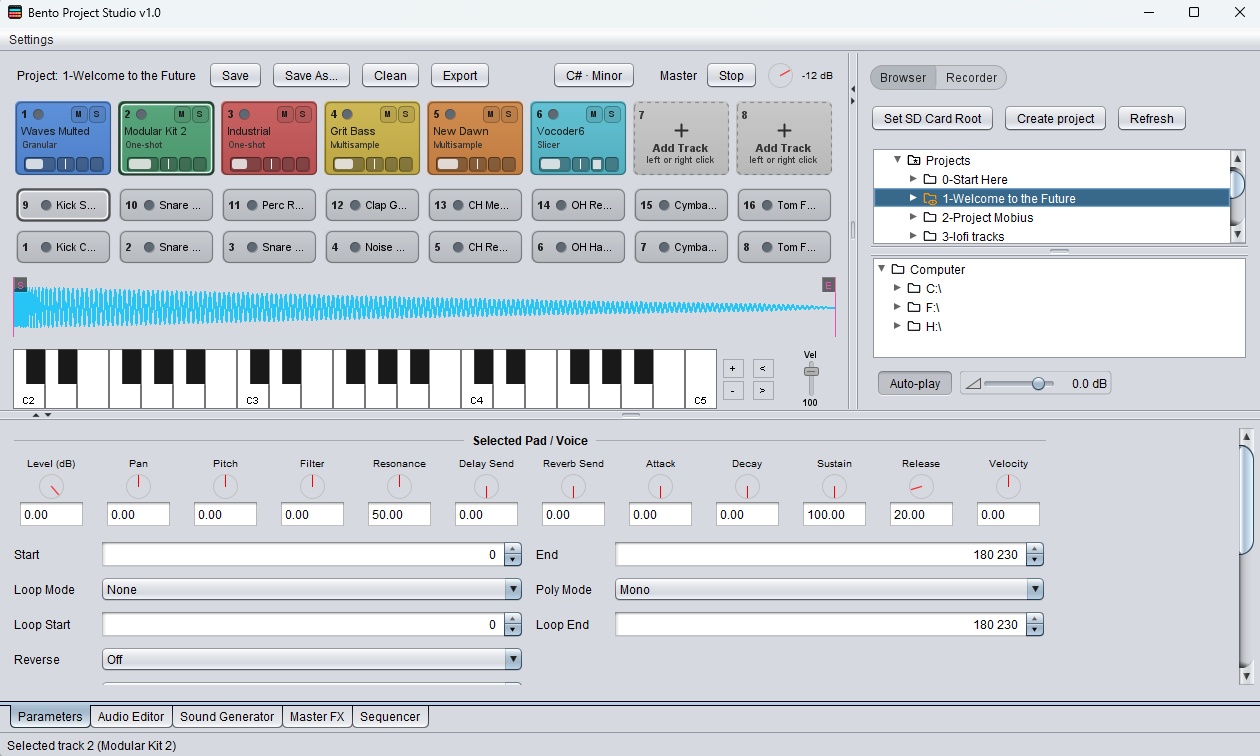
Bento Project Studio sample editor
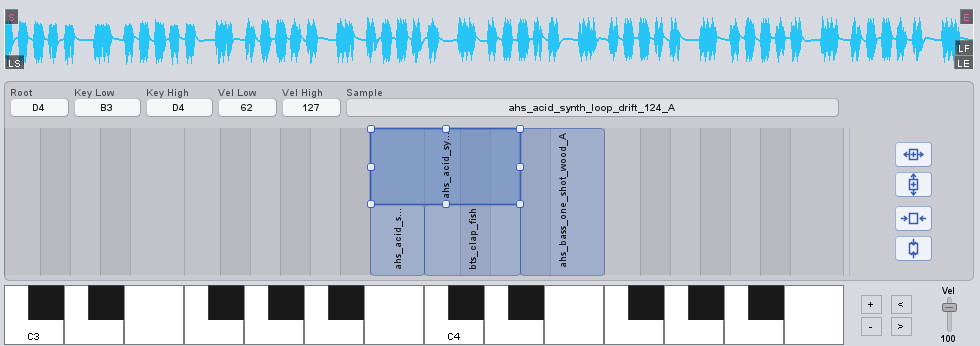
Zone Map for Multisamples

Build playable multisample instruments visually instead of editing zones by hand.

  • Drop a folder of WAV files onto a multisample Track Slot to create zones automatically.
  • Read root notes from WAV metadata when available.
  • Detect root notes and velocity layers from filenames when metadata is missing.
  • Edit key ranges and velocity ranges directly in the Zone Map.
  • Use automatic spreading tools to organize selected zones without overwriting unrelated zones.
Bento Project Studio Zone Map
Audio Editor

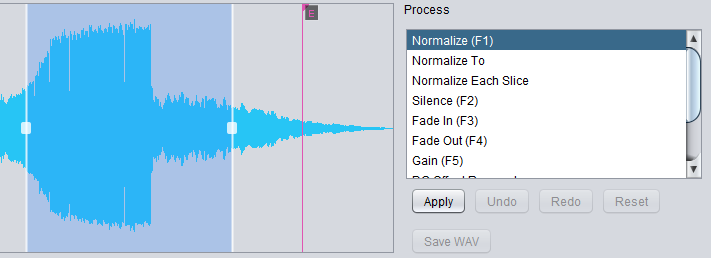
Refine samples without leaving the project editor, using a reversible workflow built for quick sound preparation.

  • Apply common processes such as Normalize, Trim, Silence, Fade In / Fade Out, Gain, Reverse and DC Offset Removal.
  • Use Loop Finder and loop crossfade editing to create smoother loop points.
  • Normalize slices when preparing Slicer material.
  • Undo and redo edits while preparing samples for the final project.
Bento Project Studio Audio Editor
Sequencer

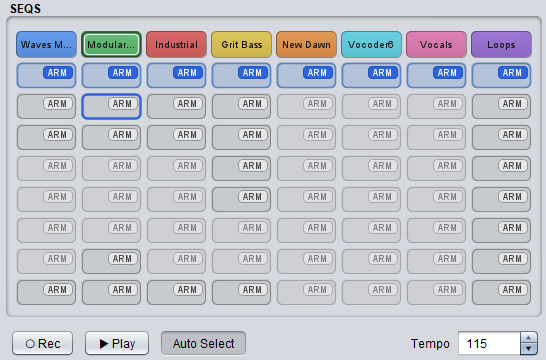
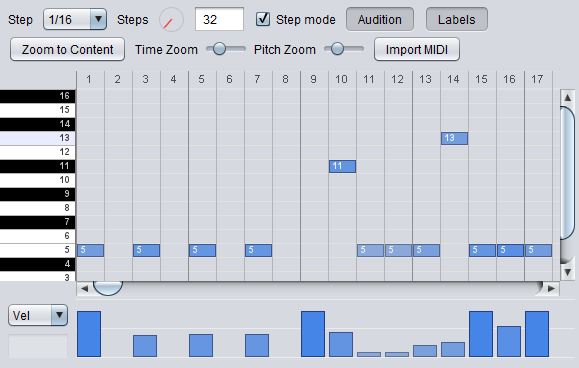
Build and edit Bento sequences directly from a clear, track-based sequencer view.

  • Manage up to eight sequences per track, with clear ARM and active-sequence controls.
  • Edit notes with copy / paste, duplicate, selection, transposition, undo / redo and note preview.
  • Record ideas with live MIDI recording or import MIDI files into the sequencer.
Bento Project Studio Sequencer sequence grid Bento Project Studio note editor
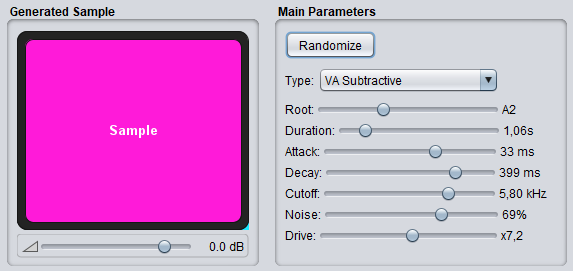
Sound Generator

Create new audio material directly inside the editor and turn it into usable Bento content in seconds.

  • Generate drums, textures, FX, tonal sounds and variations without leaving the project.
  • Adjust a parameter or click Randomize to explore new results quickly.
  • Drag the generated sound onto a pad or Track Slot for immediate use.
  • Use it for fast kit building, sound design sessions, transitions and placeholders.
  • Keep generated material inside the project workflow so files remain easy to manage.
Bento Project Studio Sound Generator
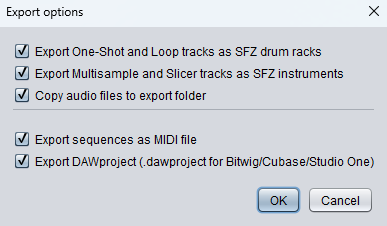
Export & Sharing

Move ideas between Bento, your DAW and software samplers without rebuilding everything manually.

  • Export sequences as standard MIDI files for editing or arranging in a DAW.
  • Export pads and multisamples as SFZ instruments for compatible software samplers.
  • Export DAWproject files for compatible DAWs, including Bitwig, Cubase and Studio One workflows.
  • Keep sample paths portable when working inside the selected SD Card Root.
Bento Project Studio export
Supported Operating Systems
Windows · macOS · Linux (Debian/Ubuntu)
Any platform with a Java 8+ runtime
64-bit